.jpg?width=200&height=45&name=Superb_Logo_RGB_Colour_Magic_Black%20(1).jpg)
Superb has three types of reservation notes — Guest Notes, Profile Notes, and Internal Notes — and each note type has its own visibility.
Where to find reservation notes
- Hover over a reservation to see a preview of the Guest Notes in the quick view.
- Click a reservation and open the Details tab to see all three note types.
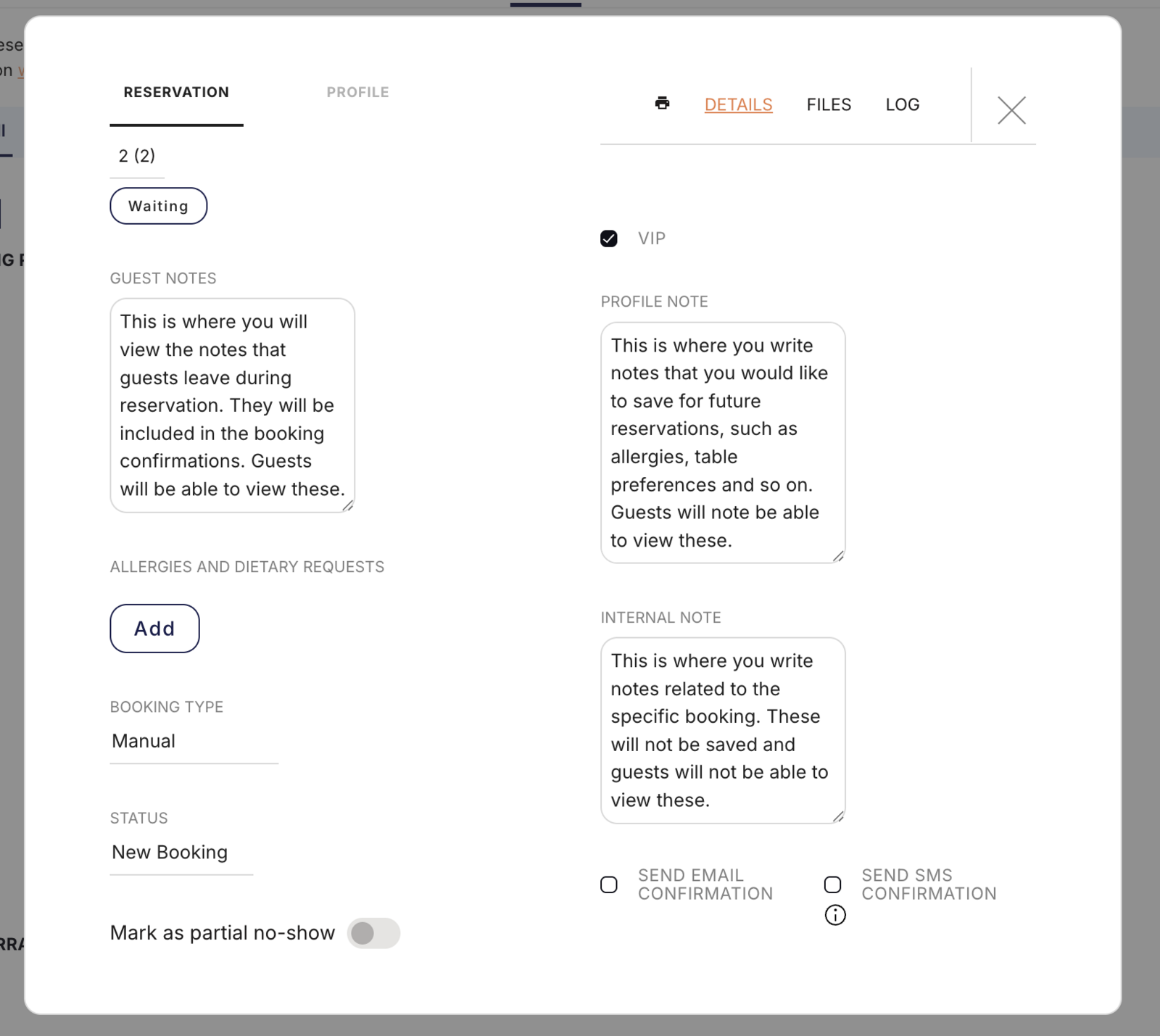
Guest Notes
Guest Notes are the comments a guest writes during an online booking, and guests can see Guest Notes.
Guest Notes appear in the confirmation email and in the reminder email sent to the guest.
Typical Guest Notes:
- "Celebrating an anniversary"
- "Requesting a quiet table"
- "Arriving slightly late"
Profile Notes
Profile Notes are saved permanently to the guest profile and appear automatically on every future reservation for that guest. Profile Notes are visible to restaurant staff only and are never visible to guests.
Use Profile Notes for:
- Allergies and dietary restrictions
- Table preferences
- Guest preferences, for example "Prefers Pinot Noir"
- VIP status and special treatment
Internal Notes
Internal Notes apply to one reservation only and are not saved for future bookings. Internal Notes are visible to restaurant staff only and are never visible to guests.
Use Internal Notes for:
- One-time requests, for example "a friend in the party has a peanut allergy"
- Information that is only relevant to this one visit
Choose the right note type
- The guest should see the information: use Guest Notes.
- The information should be saved for all future reservations: use Profile Notes.
- The information applies to this reservation only: use Internal Notes.
Example of all three note types on one reservation
- Guest Notes (visible to the guest): "Celebrating my wife's birthday"
- Profile Notes (saved permanently): "Allergic to shellfish. Prefers Pinot Noir. Regular Friday guest."
- Internal Notes (this reservation only): "Birthday cake ordered — bring out at 8:30 PM. Wife's name is Sarah."
Record allergies and dietary requests
Use the Allergies and Dietary Requests section of the reservation for dietary needs, because dietary needs recorded there are more visible to your team than a note.