.jpg?width=200&height=45&name=Superb_Logo_RGB_Colour_Magic_Black%20(1).jpg)
Move a bill from one table to another in the Superb POS app so that the bill and the reservation stay on the same table.
Move a bill to another table in the Superb POS app
Moving a bill is available in the Superb POS app only. A bill cannot be moved from the Superb RES apps or from Partner.
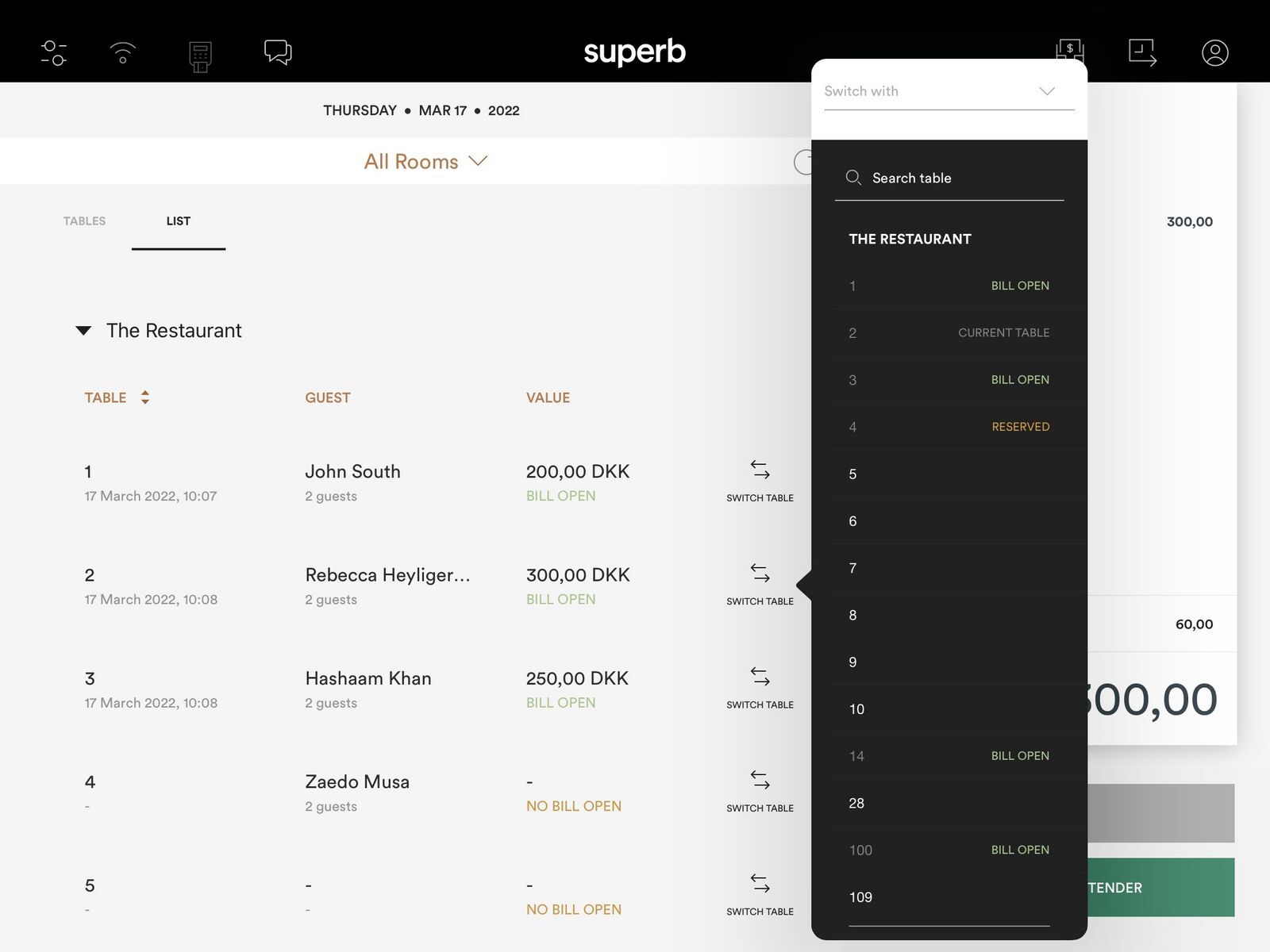
What happens when a bill is moved in the Superb POS app:
- All items on the bill move to the new table.
- No item has to be added or removed manually.
- The reservation moves to the new table together with the bill.
- The new table is shown in the Superb POS app, in the Superb RES apps and in Partner.
Move a reservation to another table
A reservation can be moved from the Superb POS app, from the Superb RES apps or from Partner. The platform used to move the reservation decides whether the bill moves with the reservation.
- Moved from the Superb POS app: the reservation moves to the new table and the bill moves with the reservation. The Superb RES apps and Partner update automatically.
- Moved from the Superb RES apps or from Partner: the reservation moves to the new table and the bill does not move. The bill stays on the original table, and the Superb POS app shows the new table after a refresh.
Which platform to use when a table has an open bill
Move the table from the Superb POS app whenever the table has an open bill, so that the bill and the reservation move together.
- Table with an open bill: move it from the Superb POS app.
- Table with no open bill: move the reservation from any platform.
- Reservation already moved from the Superb RES apps or Partner while a bill was open: move the bill from the Superb POS app to the new table so the bill and the reservation match again.
Tables a bill cannot be moved to
A bill cannot be moved to a table that is already in use.
- A table that already has a reservation.
- A table that already has an open bill.